Webhooks
Webhooks allow you to receive real-time HTTP notifications when events happen in your Forja site. When a configured event occurs (e.g., a blog post is published), Forja sends an HTTP POST request to your specified URL with details about the event.
Use Cases
- Deploy on publish -- trigger a static site rebuild when content changes.
- Sync to external systems -- push content updates to a search index, CDN, or analytics platform.
- Notifications -- send a Slack or Discord message when new content is published.
- Backup -- trigger a backup process when content is modified.
Accessing Webhooks
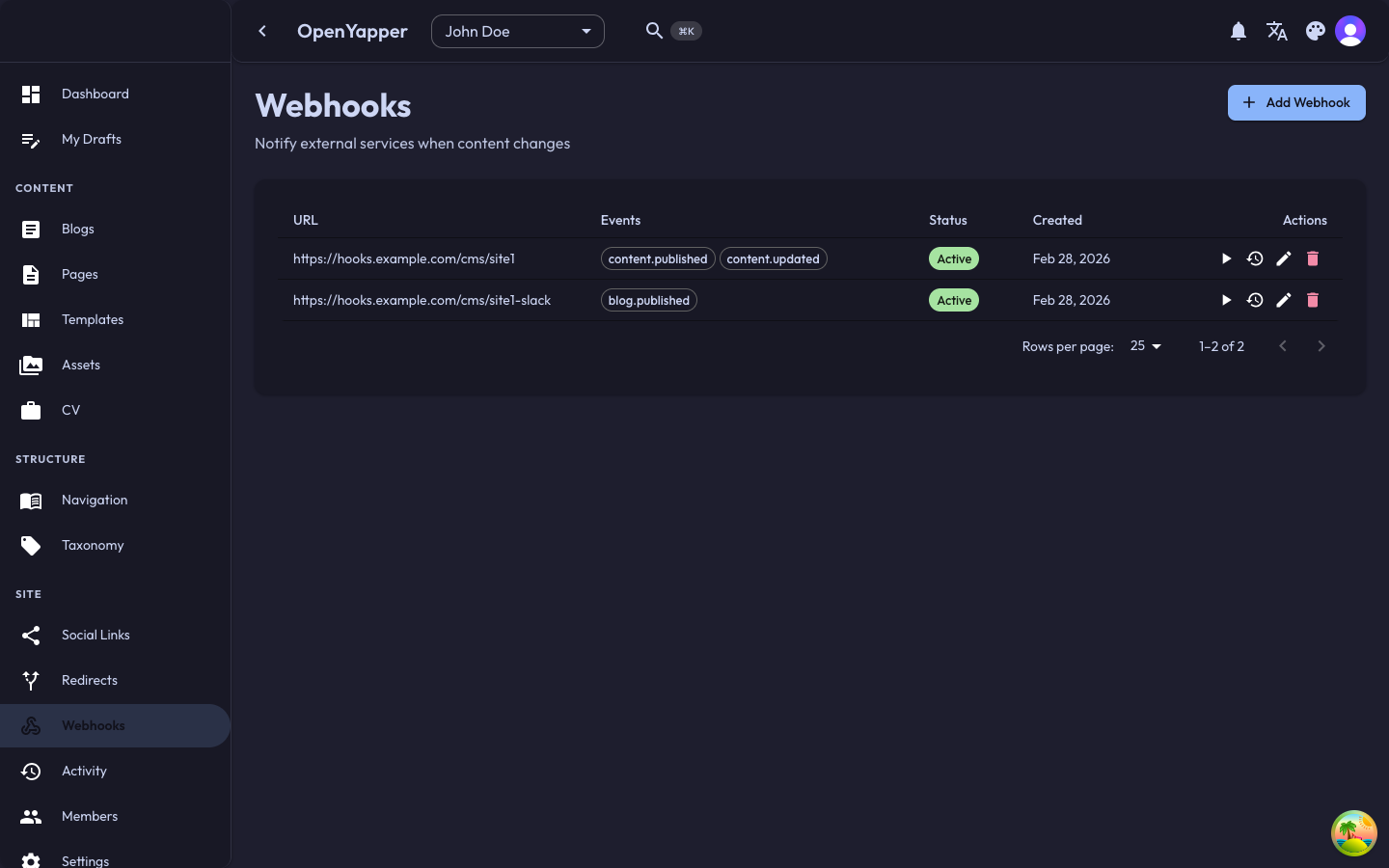
Navigate to Webhooks in the sidebar. The page shows all configured webhooks for the currently selected site.
Webhook Listing
| Column | Description |
|---|---|
| Name | A descriptive name for the webhook. |
| URL | The target endpoint that receives the POST request. |
| Events | The events this webhook listens to. |
| Status | Active or Inactive. |
| Last delivery | Timestamp and status of the most recent delivery. |
Creating a Webhook
- Click the New Webhook button.
- Fill in the webhook details:
- Name -- a descriptive name (e.g., "Deploy trigger", "Slack notification").
- URL -- the endpoint URL that will receive the POST request. Must be a valid HTTPS URL.
- Secret -- an optional shared secret. When provided, Forja signs the payload with this secret so your endpoint can verify the request is authentic.
- Events -- select one or more events to listen to (see Available Events below).
- Click Save. The webhook is created in an Active state.
Available Events
| Event | Triggered When |
|---|---|
blog.created | A new blog post is created. |
blog.updated | A blog post is updated. |
blog.deleted | A blog post is deleted. |
blog.published | A blog post is published. |
page.created | A new page is created. |
page.updated | A page is updated. |
page.deleted | A page is deleted. |
media.uploaded | A new media file is uploaded. |
media.deleted | A media file is deleted. |
navigation.updated | A navigation menu is updated. |
The available events may vary depending on your Forja version. The webhook creation form always shows the current list of supported events.
Editing a Webhook
Click on a webhook in the listing to open its detail view. Modify the name, URL, secret, or events and save.
Activating and Deactivating
Toggle a webhook's active status to temporarily stop or resume deliveries without deleting the webhook configuration.
Delivery Logs
Each webhook maintains a delivery log showing the history of all delivery attempts:
Viewing Delivery Logs
- Click on a webhook to open its detail view.
- Navigate to the Deliveries tab.
- Each delivery entry shows:
- Timestamp -- when the delivery was attempted.
- Event -- the event that triggered the delivery.
- Status code -- the HTTP response status code from your endpoint.
- Response time -- how long your endpoint took to respond.
- Status -- Success, Failed, or Pending.
Retry Behavior
If a delivery fails (your endpoint returns an error or is unreachable), Forja retries the delivery with exponential backoff.
Testing a Webhook
To verify your webhook is configured correctly:
- Open the webhook detail view.
- Click the Test button.
- Forja sends a test payload to your endpoint.
- Check the delivery log to see the result.
The test payload contains sample data and is clearly marked as a test event.
Webhook Payload
Webhook payloads are sent as JSON in the POST request body. A typical payload looks like:
{
  "event": "blog.published",
  "timestamp": "2025-01-15T10:30:00Z",
  "site_id": "uuid-of-site",
  "data": {
    "id": "uuid-of-blog-post",
    "title": "My New Post",
    "slug": "my-new-post",
    "status": "published"
  }
}
If a secret is configured, the request includes a signature header that your endpoint can use to verify authenticity.
Deleting a Webhook
- Open the webhook or select it from the listing.
- Click Delete and confirm.
Deleting a webhook also removes its delivery history.
Permissions
| Action | Required Role |
|---|---|
| View webhooks | Admin, Master |
| Create/edit webhooks | Admin, Master |
| Delete webhooks | Admin, Master |
| View delivery logs | Admin, Master |
| Test webhooks | Admin, Master |