Members
Members are the users who have access to a specific site within Forja. The members page lets you manage who can access your site and what they can do.
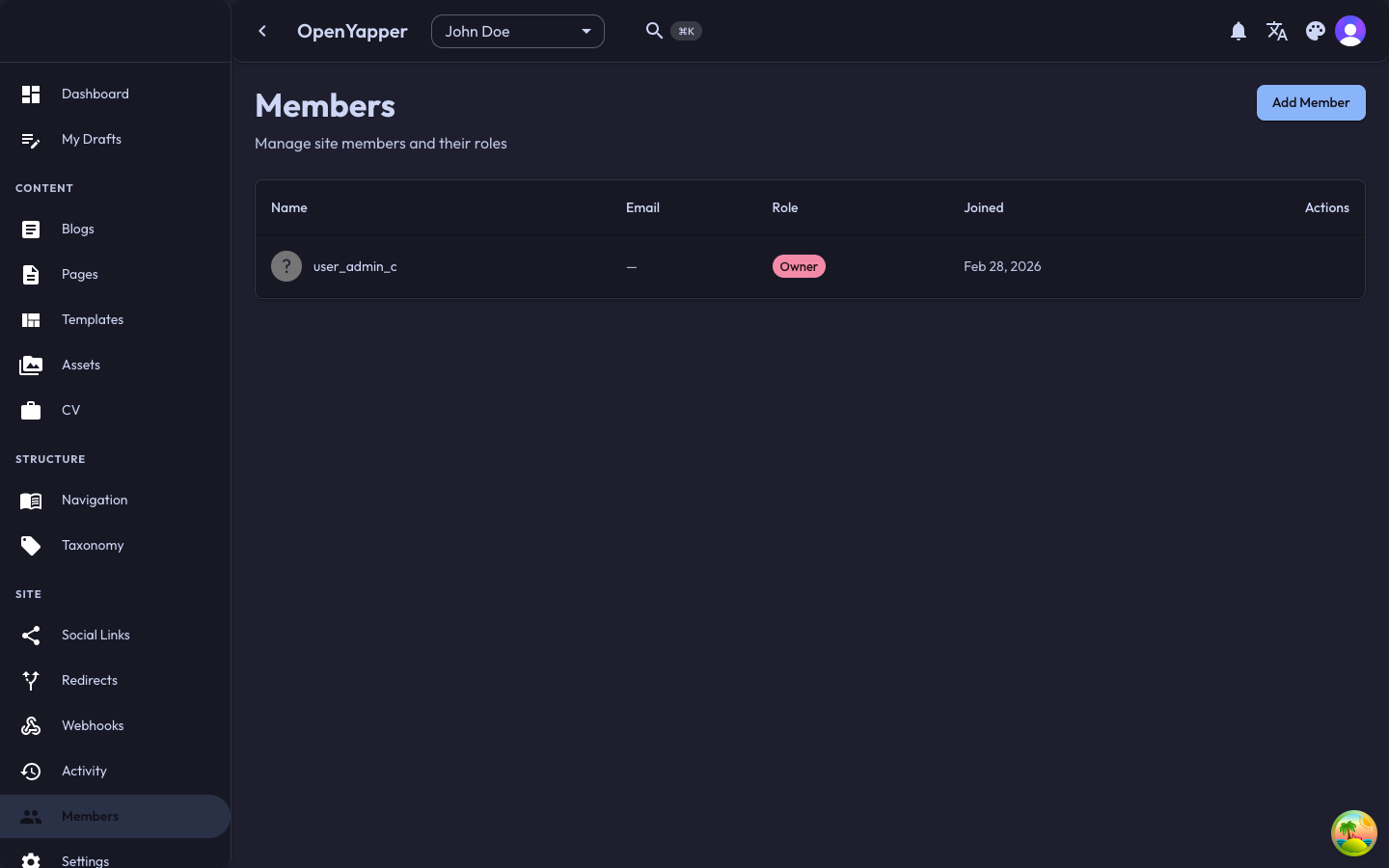
Accessing Members
Navigate to Members in the sidebar. The page shows all members of the currently selected site.
Member Listing
| Column | Description |
|---|---|
| Name | The member's display name. |
| The member's email address. | |
| Role | Their permission level on this site (Admin, Write, or Read). |
| Joined | When they were added to the site. |
| Last active | When they last accessed the site. |
Adding a Member
- Click the Add Member button.
- Search for the user by email or name. The user must already have a Clerk account.
- Select the user from the search results.
- Assign a role:
- Admin -- full access to the site, including member and settings management.
- Write -- can create, edit, and delete content.
- Read -- view-only access.
- Click Add. The user now has access to this site and it appears in their site selector.
The user must have an existing Clerk account before they can be added as a member. They can create one by visiting the login page and signing up.
Changing a Member's Role
- Click on a member in the listing.
- Select a new role from the role dropdown.
- Save the change.
Role changes take effect immediately. The member's permissions update the next time they make a request.
Removing a Member
- Click on the member you want to remove.
- Click Remove and confirm.
The member loses access to this site immediately. They can no longer see it in their site selector.
Removing a member does not delete any content they created. Their content remains associated with the site.
Transferring Ownership
If you need to transfer site ownership to another member:
- Navigate to the members page.
- Find the member who should become the new owner.
- Click the Transfer ownership option (available to the current owner or a Master-level user).
- Confirm the transfer.
The new owner receives Admin-level permissions, and the previous owner retains their current role.
Site Owner
Every site has an owner -- the user who created it. The owner:
- Cannot be removed from the site without transferring ownership first.
- Has Admin-level permissions that cannot be downgraded.
- Can transfer ownership to another member.
Permissions
| Action | Required Role |
|---|---|
| View members | Admin, Master |
| Add members | Admin, Master |
| Change member roles | Admin, Master |
| Remove members | Admin, Master |
| Transfer ownership | Site owner, Master |