API Overview
The Forja CMS exposes a RESTful JSON API for managing sites, content, media, and configuration. All endpoints are versioned under the /api/v1 prefix.
Base URL
https://your-domain.com/api/v1
All requests and responses use Content-Type: application/json unless otherwise noted (e.g., multipart file uploads or RSS feeds).
Versioning
The API is versioned via the URL path. The current and only version is v1. Breaking changes will be introduced under a new version prefix.
Interactive Documentation
A Swagger UI is available at:
https://your-domain.com/api-docs
This provides a complete, interactive reference generated from the OpenAPI specification. You can explore endpoints, view request/response schemas, and test requests directly in the browser.
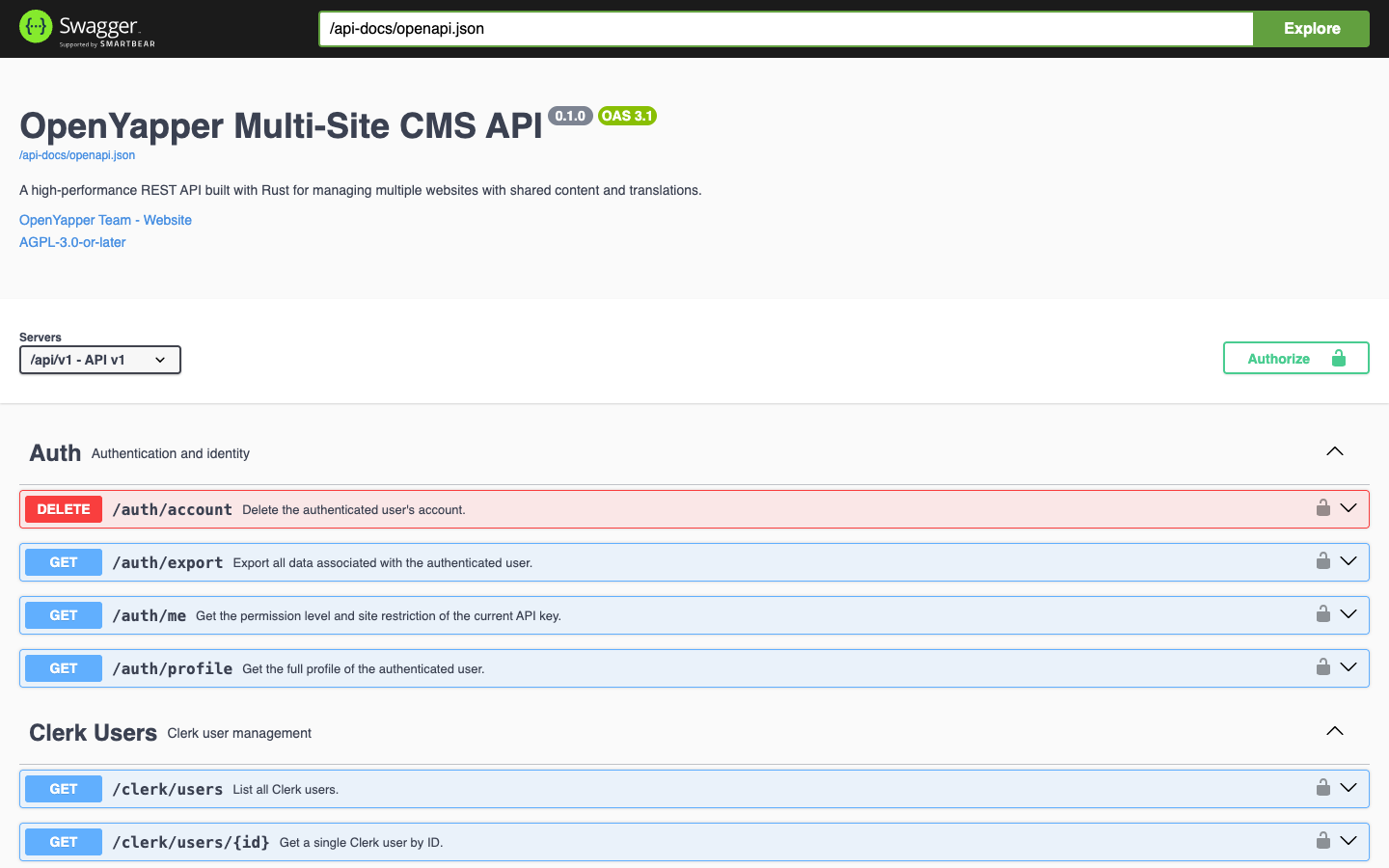
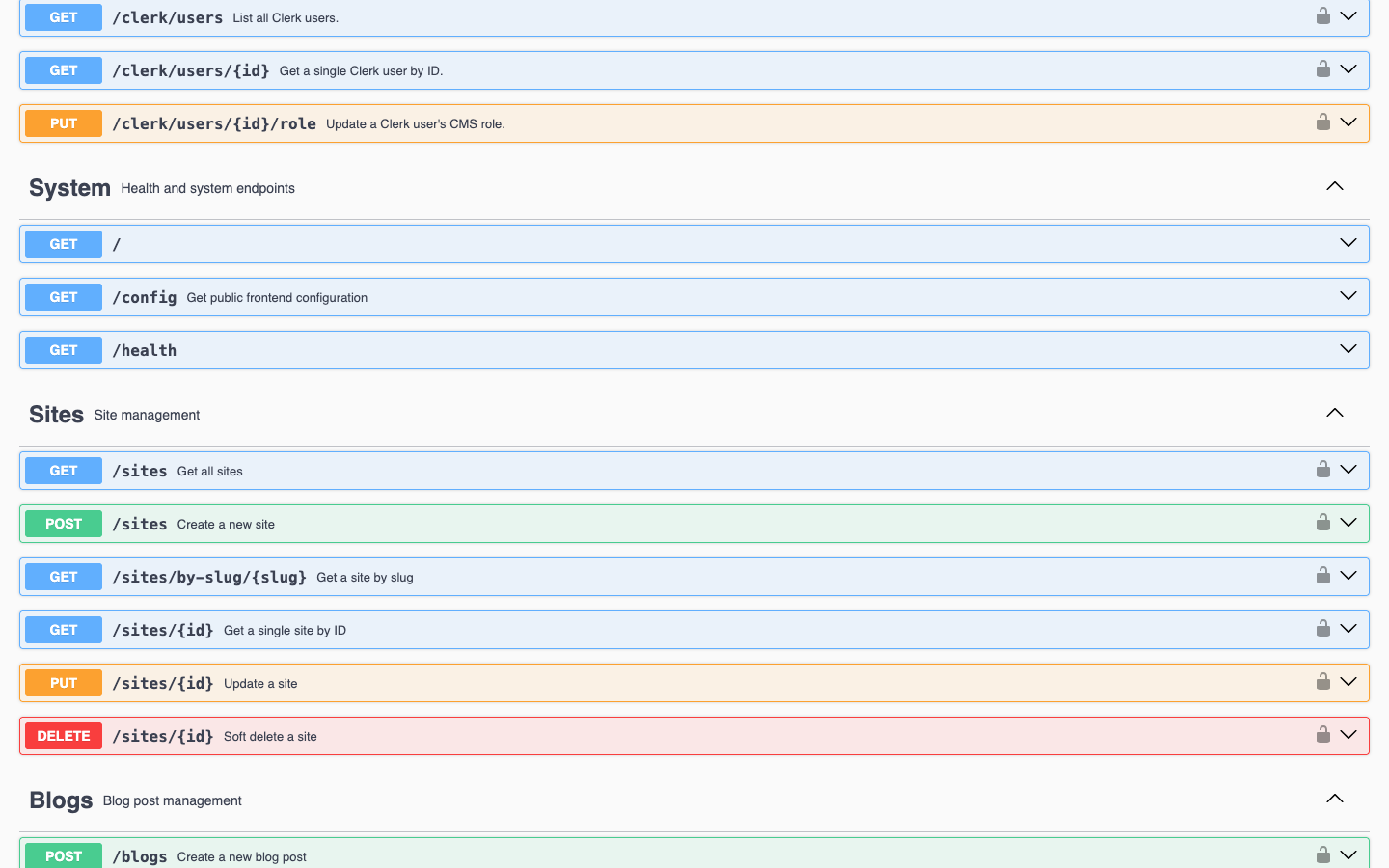
The API is organized into logical endpoint groups (Auth, Sites, Blogs, Pages, etc.) with color-coded HTTP methods. You can expand any endpoint to see parameters, request bodies, and response schemas:
Design Principles
- Site-scoped resources -- Most resources belong to a site. Endpoints follow the pattern
/api/v1/sites/{site_id}/resourcefor listing and creation, and/api/v1/resource/{id}for individual access. - Soft deletes -- Content resources (blogs, pages, skills, etc.) use soft deletes. Deleted items are excluded from normal queries but remain in the database.
- Pagination -- List endpoints return paginated results with metadata. See Pagination.
- Localization -- Content supports multiple locales via separate localization sub-resources.
- Audit trail -- All mutations are logged to the audit system with change history for field-level tracking.
- Editorial workflow -- Content follows a status lifecycle: Draft, InReview, Published, Scheduled, Archived.
- Webhook notifications -- Mutations on content resources trigger webhook deliveries to registered endpoints.
Authentication
Every request (except GET /, GET /health, and GET /config) must include authentication credentials. The API supports two methods:
- API Key via the
X-API-Keyheader - JWT via the
Authorization: Bearer <token>header (Clerk-issued tokens)
See Authentication for details.
Error Handling
All errors follow the RFC 7807 ProblemDetails format. See Error Handling.
Schemas
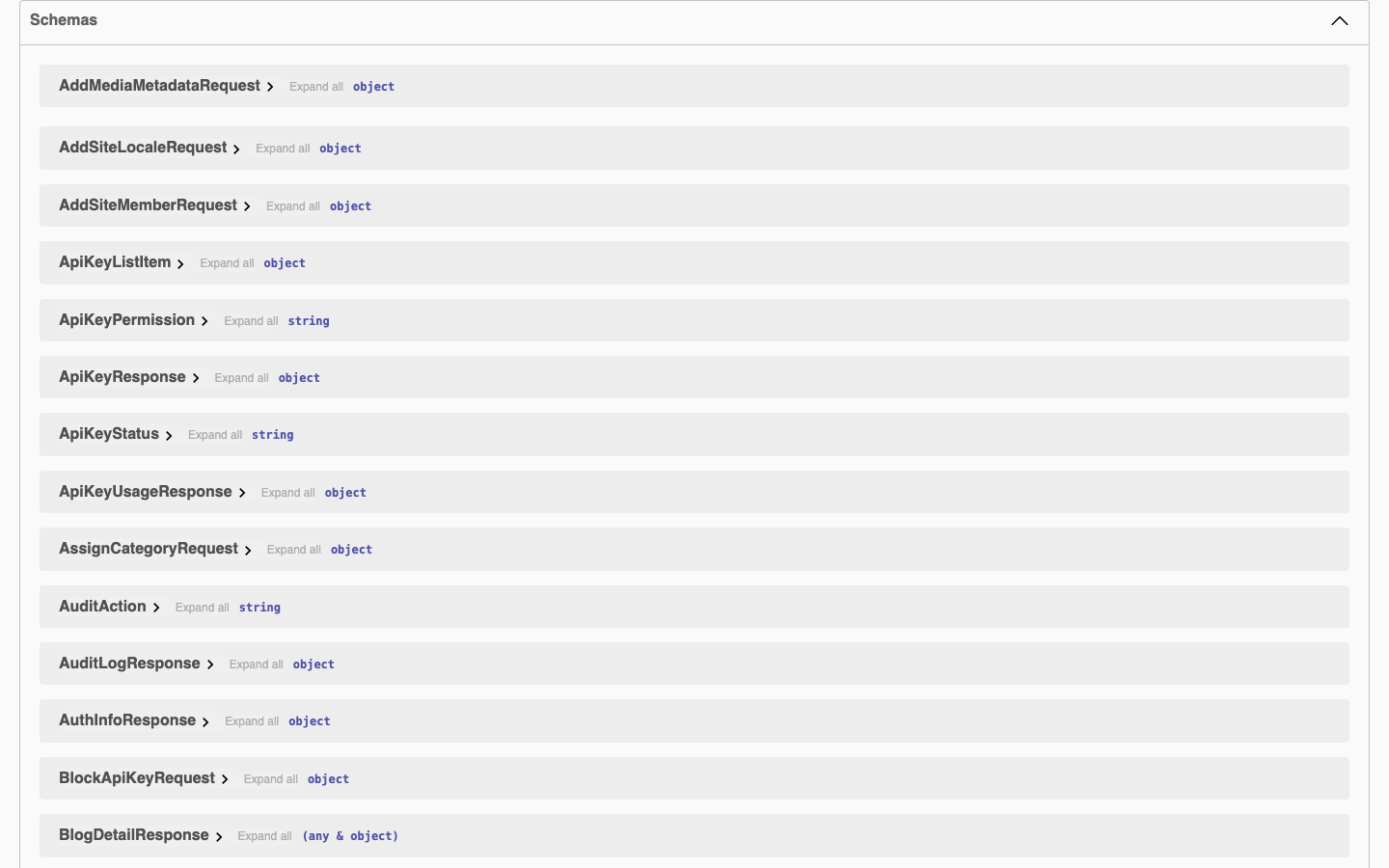
The API ships with comprehensive schemas for every request and response type. You can inspect them in the Swagger UI or in the OpenAPI JSON spec at /api-docs/openapi.json:
Rate Limiting
API keys can have configurable rate limits (per second, minute, hour, and day). When a rate limit is exceeded, the API returns 429 Too Many Requests.