Redirects
URL redirects let you manage HTTP redirections for your site. Use redirects to handle moved content, URL structure changes, vanity URLs, or migrated pages.
Accessing Redirects
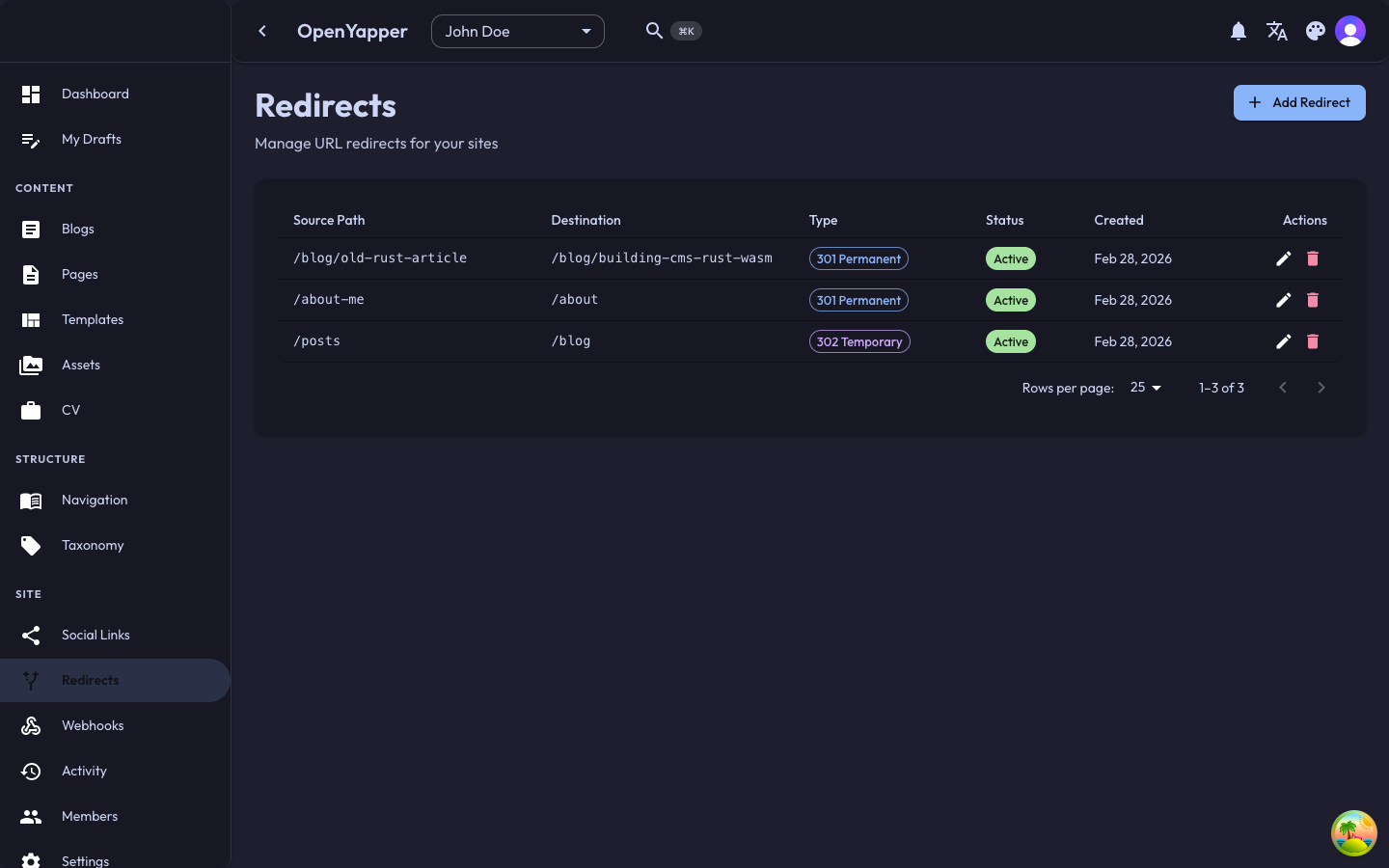
Navigate to Redirects in the sidebar. The page shows all configured redirects for the currently selected site.
Redirect Listing
| Column | Description |
|---|---|
| Source path | The original URL path that triggers the redirect. |
| Target URL | The destination URL the user is sent to. |
| Type | The HTTP status code: 301 (Permanent) or 302 (Temporary). |
| Status | Active or Inactive. |
| Created | When the redirect was created. |
Redirect Types
| Type | Status Code | When to Use |
|---|---|---|
| Permanent | 301 | The content has moved permanently. Search engines update their index. Use for URL structure changes and content migrations. |
| Temporary | 302 | The content is temporarily at a different location. Search engines keep the original URL. Use for A/B tests or temporary maintenance pages. |
Creating a Redirect
- Click the New Redirect button.
- Fill in the redirect details:
- Source path -- the path to redirect from (e.g.,
/old-blog-post). This is relative to your site's domain. - Target URL -- the destination URL. Can be a relative path (e.g.,
/new-blog-post) or an absolute URL (e.g.,https://example.com/new-location). - Type -- select 301 Permanent or 302 Temporary.
- Source path -- the path to redirect from (e.g.,
- Click Save.
Use a leading slash for source paths (e.g., /old-path not old-path). The source path is matched against the incoming request path.
Editing a Redirect
Click on a redirect in the listing to edit it. Modify the source path, target URL, or type and save.
Deleting a Redirect
Click the delete icon on a redirect and confirm. The redirect stops working immediately.
Common Use Cases
Content Migration
When you move a blog post from /blog/old-slug to /blog/new-slug:
- Source:
/blog/old-slug - Target:
/blog/new-slug - Type: 301 Permanent
Domain Change
When redirecting old domain paths to a new domain:
- Source:
/about - Target:
https://newdomain.com/about - Type: 301 Permanent
Vanity URLs
Create short, memorable URLs that redirect to longer paths:
- Source:
/go - Target:
/getting-started/installation - Type: 302 Temporary
Best Practices
- Use 301 (Permanent) for content that has permanently moved. This helps search engines update their index and pass link equity to the new URL.
- Use 302 (Temporary) sparingly, only when the redirect is genuinely temporary.
- Avoid redirect chains (redirect A to B to C). Point directly to the final destination.
- Regularly review your redirects and remove any that are no longer needed.
Permissions
| Action | Required Role |
|---|---|
| View redirects | Read |
| Create/edit redirects | Admin, Master |
| Delete redirects | Admin, Master |