Locales
Locales define the languages and regional settings available for your site's content. Adding a locale to your site enables you to create localized versions of blog posts, pages, navigation items, taxonomy terms, and other content.
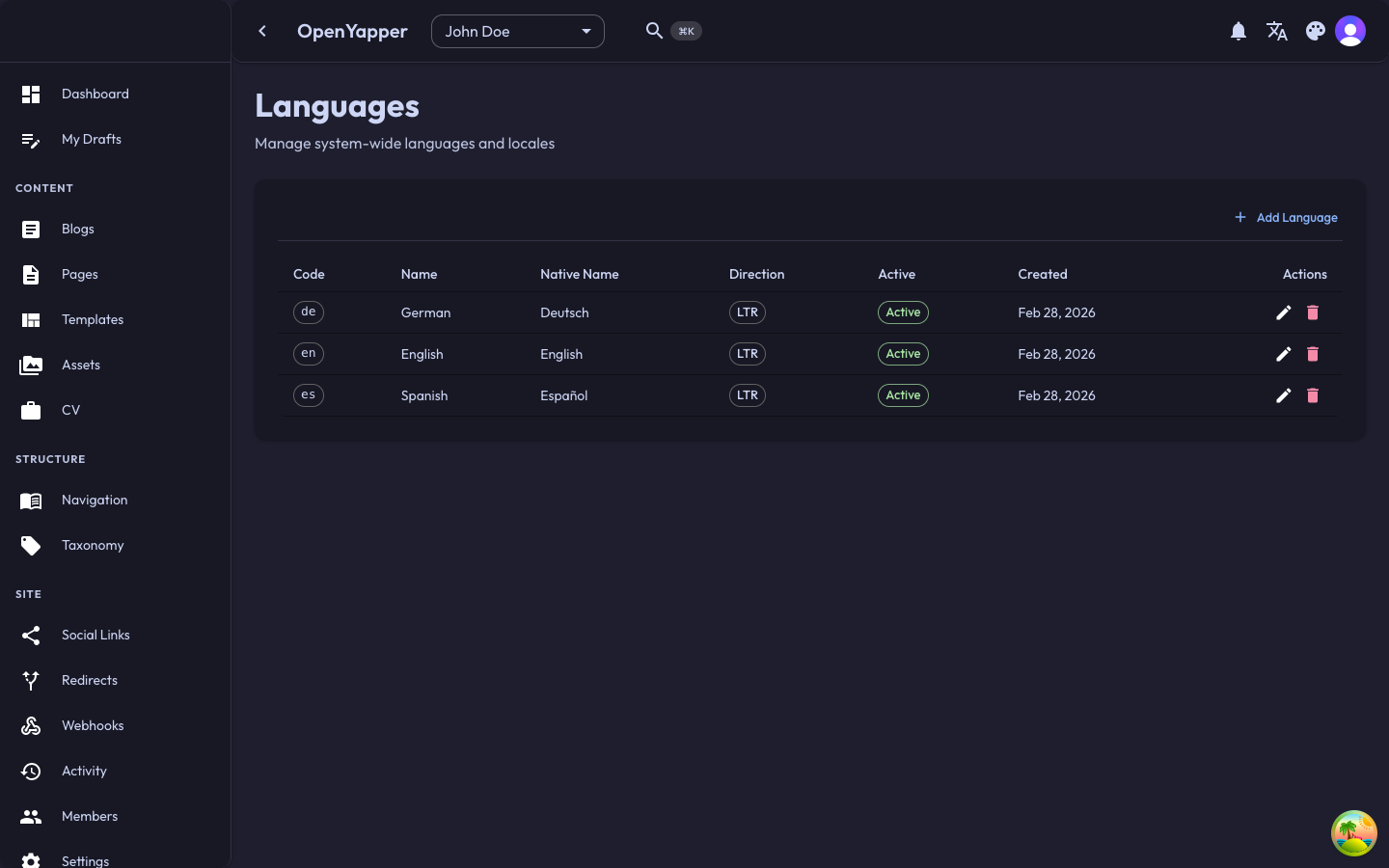
Accessing Locales
Navigate to Locales in the sidebar. The page shows all locales configured for the currently selected site.
Locale Listing
| Column | Description |
|---|---|
| Name | The human-readable locale name (e.g., "English", "German", "French"). |
| Code | The locale code following BCP 47 format (e.g., en, de, fr, en-US). |
| Default | Whether this is the site's default locale. |
| Created | When the locale was added to the site. |
Adding a Locale
- Click the Add Locale button.
- Select a locale from the dropdown or enter a custom locale code:
- Choose from common locales like English (
en), German (de), French (fr), Spanish (es), Japanese (ja), etc. - Or enter a specific regional variant like
en-US,de-AT,pt-BR.
- Choose from common locales like English (
- Optionally set it as the default locale.
- Click Save.
After adding a locale, you can start creating localized content. Existing content will not be automatically translated -- you need to add translations manually through each content editor.
Default Locale
Each site has one default locale. The default locale is used when:
- No locale is specified in an API request.
- A requested locale is not available for a specific piece of content.
- The frontend does not specify a language preference.
Changing the Default Locale
- Open the locale you want to make the default.
- Toggle the Default option to on.
- Save. The previous default locale is automatically demoted.
Removing a Locale
- Click the delete icon on the locale you want to remove.
- Confirm the deletion.
Removing a locale deletes all localized content associated with that locale across your entire site (blog post translations, page translations, navigation title translations, etc.). This action cannot be undone.
How Locales Work with Content
When you add a locale to your site, every content editor gains a locale switcher:
- Blog posts -- title, excerpt, and content can be translated per locale.
- Pages -- title and section content can be translated per locale.
- Navigation items -- display titles can be translated per locale.
- Taxonomy -- tag and category names can be translated per locale.
- Legal -- group titles and item content can be translated per locale.
- CV entries -- titles and descriptions can be translated per locale.
Content Fallback
If a translation is not available for a requested locale, the API returns the content in the site's default locale as a fallback.
Best Practices
- Start with your primary language -- add your main language first and create all content in it before adding additional locales.
- Plan locales early -- it is easier to translate content as you create it than to go back and translate everything later.
- Use standard locale codes -- stick to BCP 47 codes (e.g.,
en,de,fr) for compatibility with frontend i18n libraries. - Provide fallback content -- always have content in your default locale so users see something meaningful if a translation is missing.
Permissions
| Action | Required Role |
|---|---|
| View locales | Read |
| Add locales | Admin, Master |
| Remove locales | Admin, Master |
| Change default locale | Admin, Master |