Sites
Forja is a multi-site CMS. Each site is an independent space with its own content, media, navigation, settings, and members. You can manage multiple sites from a single Forja installation.
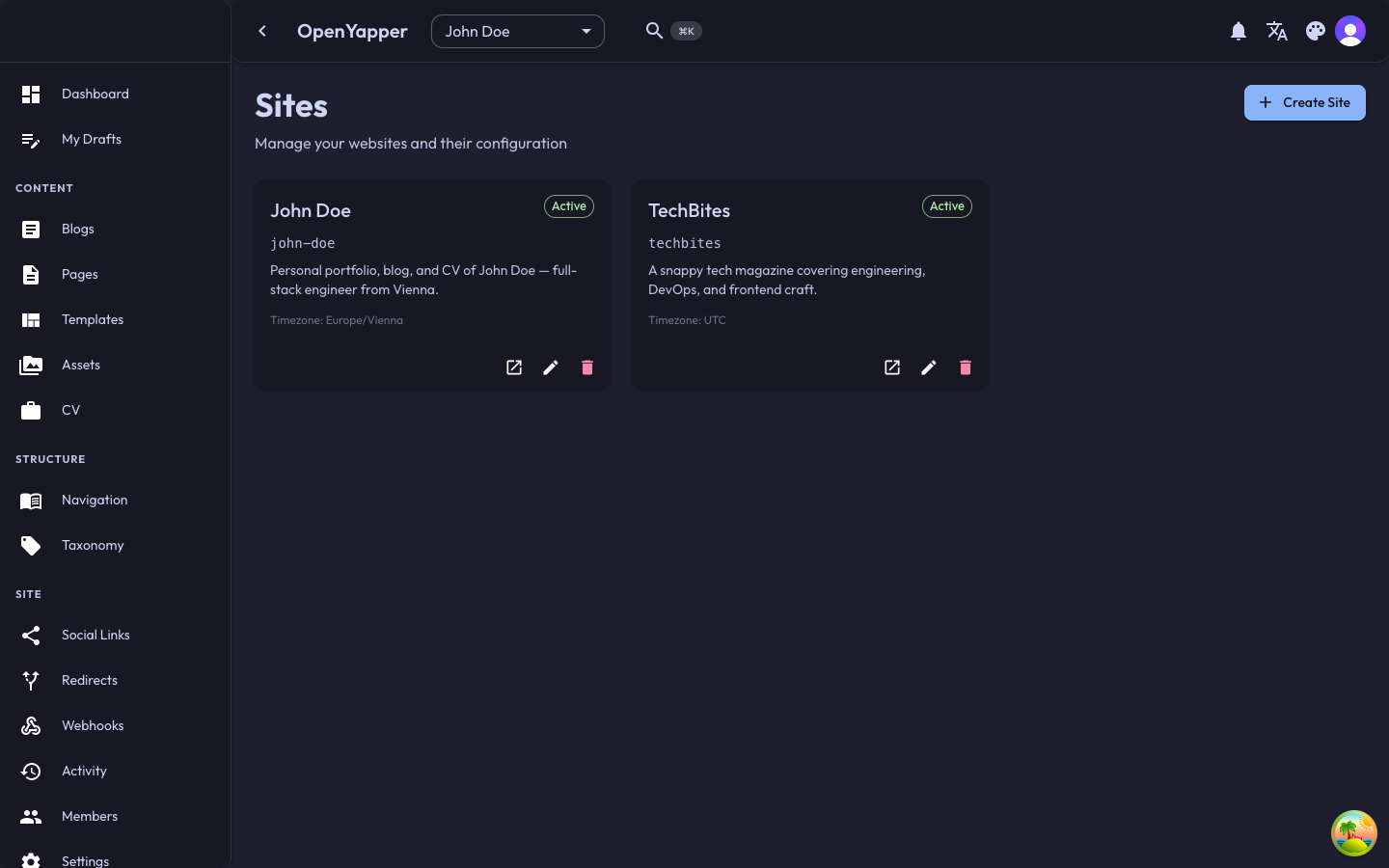
Viewing Your Sites
Navigate to Sites in the sidebar. The sites page shows a list of all sites you have access to, with the following information for each:
- Name -- the display name of the site.
- Domain -- the associated domain or URL.
- Status -- whether the site is active or inactive.
- Your role -- your permission level on that site (Master, Admin, Write, or Read).
- Created -- when the site was created.
Creating a Site
- Click the Create Site button on the sites listing page.
- Fill in the required fields:
- Name -- a descriptive name for your site (e.g., "My Portfolio", "TechBites Magazine").
- Domain -- the domain where this site will be published (e.g.,
example.com). - Description -- an optional description of the site's purpose.
- Click Save to create the site.
After creation, you are automatically assigned as the site's owner with Admin permissions. The new site appears in the site selector dropdown.
Editing a Site
- From the sites listing, click on the site you want to edit, or click the edit icon.
- The site detail page opens, showing all editable fields.
- Update the fields as needed:
- Name and description can be changed at any time.
- Domain updates affect how the site is identified.
- Click Save to apply your changes.
Deleting a Site
Deleting a site permanently removes all associated content, media, navigation, settings, and member assignments. This action cannot be undone.
- Open the site detail page.
- Scroll to the danger zone or click the delete button.
- Confirm the deletion when prompted. You may be asked to type the site name to confirm.
Only users with Admin or Master permissions can delete a site.
Switching Between Sites
Use the site selector dropdown in the top bar to switch between sites. When you switch sites, the entire dashboard context updates to show content and settings for the selected site.
Site Detail Page
The site detail page provides a comprehensive view of a single site:
- General information -- name, domain, description, and status.
- Statistics -- quick counts of blogs, pages, media, and other content.
- Members -- a summary of users with access to this site.
- Settings shortcut -- a link to the site's settings page.
Permissions
| Action | Required Role |
|---|---|
| View sites | Read |
| Create a site | Admin, Master |
| Edit a site | Admin, Master |
| Delete a site | Admin, Master |