Admin Dashboard
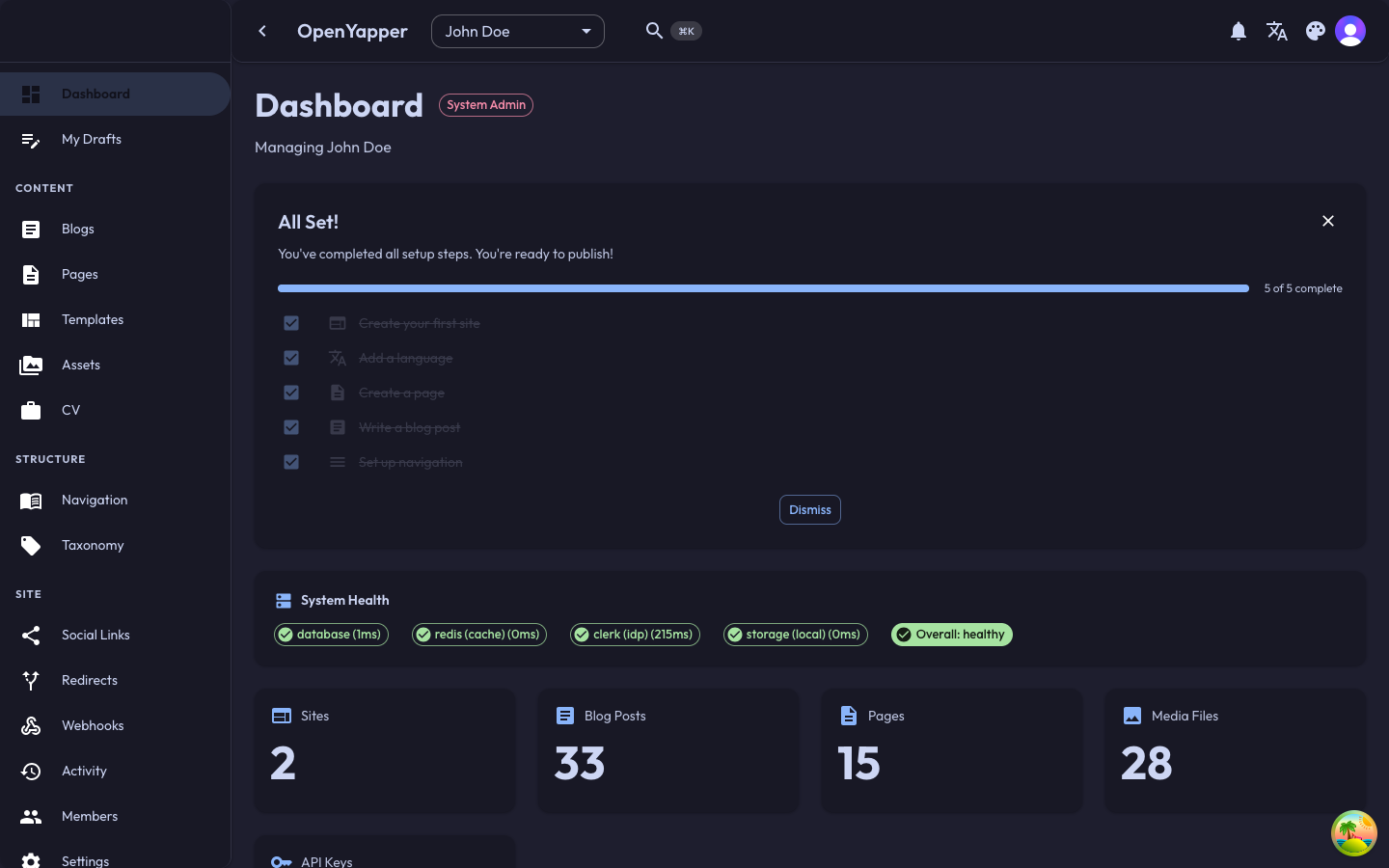
The Forja admin dashboard is a React single-page application built with Vite. It is served by the backend at /dashboard and communicates with the API on the same origin. User authentication is handled by Clerk.
Tech Stack
| Library | Purpose |
|---|---|
| React 18 | UI framework |
| Vite | Build tool and dev server |
| MUI (Material UI) | Component library and theming |
| React Query (@tanstack/react-query) | Server state management and caching |
| react-hook-form + zod | Form state management and validation |
| Clerk (@clerk/clerk-react) | Authentication (sign-in, sign-up, session management) |
| React Router v6 | Client-side routing |
| axios | HTTP client for API calls |
| notistack | Toast notifications |
| react-i18next | Internationalization |
Directory Structure
admin/src/
├── main.tsx             # Entry point, ClerkProvider setup
├── App.tsx              # BrowserRouter, route definitions, providers
├── components/
│   ├── Layout/          # Shell layout (sidebar, topbar, content area)
│   ├── auth/            # RequireAuth guard component
│   ├── shared/          # Reusable components (ErrorBoundary, dialogs, etc.)
│   ├── blogs/           # Blog-specific components
│   ├── pages/           # Page-specific components
│   ├── media/           # Media library components
│   └── ...              # Domain-specific component folders
├── pages/
│   ├── Login.tsx
│   ├── DashboardHome.tsx
│   ├── Sites.tsx
│   ├── Blogs.tsx
│   ├── BlogDetail.tsx
│   ├── Pages.tsx
│   ├── PageDetail.tsx
│   ├── Media.tsx
│   ├── Navigation.tsx
│   ├── Legal.tsx
│   ├── CV.tsx
│   ├── ApiKeys.tsx
│   ├── Webhooks.tsx
│   ├── Redirects.tsx
│   ├── Members.tsx
│   ├── Settings.tsx
│   └── ...              # One file per route
├── services/
│   └── api.ts           # Axios instance + API service functions
├── types/
│   └── api.ts           # TypeScript interfaces mirroring backend DTOs
├── store/
│   ├── SiteContext.tsx   # Active site selection context
│   ├── AuthContext.tsx   # Auth state context
│   └── NavigationGuardContext.tsx  # Unsaved changes guard
├── hooks/               # Custom React hooks
├── i18n/                # Translation files and i18next config
├── theme/               # MUI theme configuration (light/dark mode)
├── data/                # Static data, constants
├── utils/               # Utility functions
└── test/                # Test utilities
Routing
The app uses BrowserRouter with a /dashboard basename. All routes are nested under a RequireAuth wrapper that redirects unauthenticated users to the login page.
/dashboard/login         -> Login page (Clerk SignIn)
/dashboard/sign-up       -> Sign-up page (Clerk SignUp)
/dashboard/dashboard     -> Home / overview
/dashboard/sites         -> Site list
/dashboard/sites/:id     -> Site detail
/dashboard/blogs         -> Blog list
/dashboard/blogs/:id     -> Blog editor
/dashboard/pages         -> Page list
/dashboard/pages/:id     -> Page editor
/dashboard/media         -> Media library
/dashboard/navigation    -> Navigation menu builder
/dashboard/legal         -> Legal documents
/dashboard/cv            -> CV / resume entries
/dashboard/members       -> Site member management
/dashboard/api-keys      -> API key management
/dashboard/taxonomy      -> Tags and categories
/dashboard/webhooks      -> Webhook configuration
/dashboard/redirects     -> URL redirect rules
/dashboard/settings      -> Site settings
/dashboard/api-docs      -> Embedded Swagger UI
/dashboard/profile       -> User profile
/dashboard/activity      -> Audit log viewer
/dashboard/notifications -> In-app notifications
Provider Hierarchy
The app wraps the route tree in several context providers:
ErrorBoundary
  ThemeModeProvider          (MUI light/dark theme)
    LocalizationProvider     (date-fns adapter for date pickers)
      SnackbarProvider       (notistack toasts)
        QueryClientProvider  (React Query cache)
          BrowserRouter
            AuthProvider     (Clerk auth state)
              SiteProvider   (active site selection)
                NavigationGuardProvider  (unsaved changes warning)
                  Routes
API Communication
All API calls go through the axios instance in services/api.ts. The admin is served from the same origin as the backend (/dashboard), so API calls to /api/v1/... do not require CORS.
React Query Patterns
Data fetching uses React Query with a 5-minute stale time:
const queryClient = new QueryClient({
  defaultOptions: {
    queries: {
      retry: 1,
      staleTime: 1000 * 60 * 5,
    },
  },
});
Typical query usage:
const { data: blogs, isLoading } = useQuery({
  queryKey: ['blogs', siteId],
  queryFn: () => api.getBlogs(siteId),
});
Mutations invalidate relevant query keys to trigger refetches:
const mutation = useMutation({
  mutationFn: (data) => api.createBlog(siteId, data),
  onSuccess: () => {
    queryClient.invalidateQueries({ queryKey: ['blogs', siteId] });
  },
});
Type Safety
TypeScript interfaces in types/api.ts mirror the backend DTOs. This ensures type safety from the API response through to the UI components.
Forms
Forms use react-hook-form for state management and zod for schema validation:
const schema = z.object({
  title: z.string().min(1).max(200),
  slug: z.string().min(1).max(200),
  locale: z.string(),
});

const { register, handleSubmit, formState: { errors } } = useForm({
  resolver: zodResolver(schema),
});
Authentication Flow
- User navigates to
/dashboard. RequireAuthcomponent checks Clerk session.- If unauthenticated, user is redirected to
/dashboard/login. - Clerk handles sign-in (including social/SSO providers).
- On success, the Clerk session token is attached to API requests as
Authorization: Bearer <JWT>. - The backend validates the JWT against Clerk's JWKS.
Site Context
The admin supports managing multiple sites. The SiteProvider tracks the currently selected site and persists the selection. Most API calls and UI state are scoped to the active site.
Theming
The ThemeModeProvider supports light and dark modes via MUI's theming system. The user's preference is persisted in local storage.